

Restoring one file should not mean restoring the whole site
Most mistakes are one file, one table or one deleted thing. A restore that can only put back everything at once is a restore people avoid using.

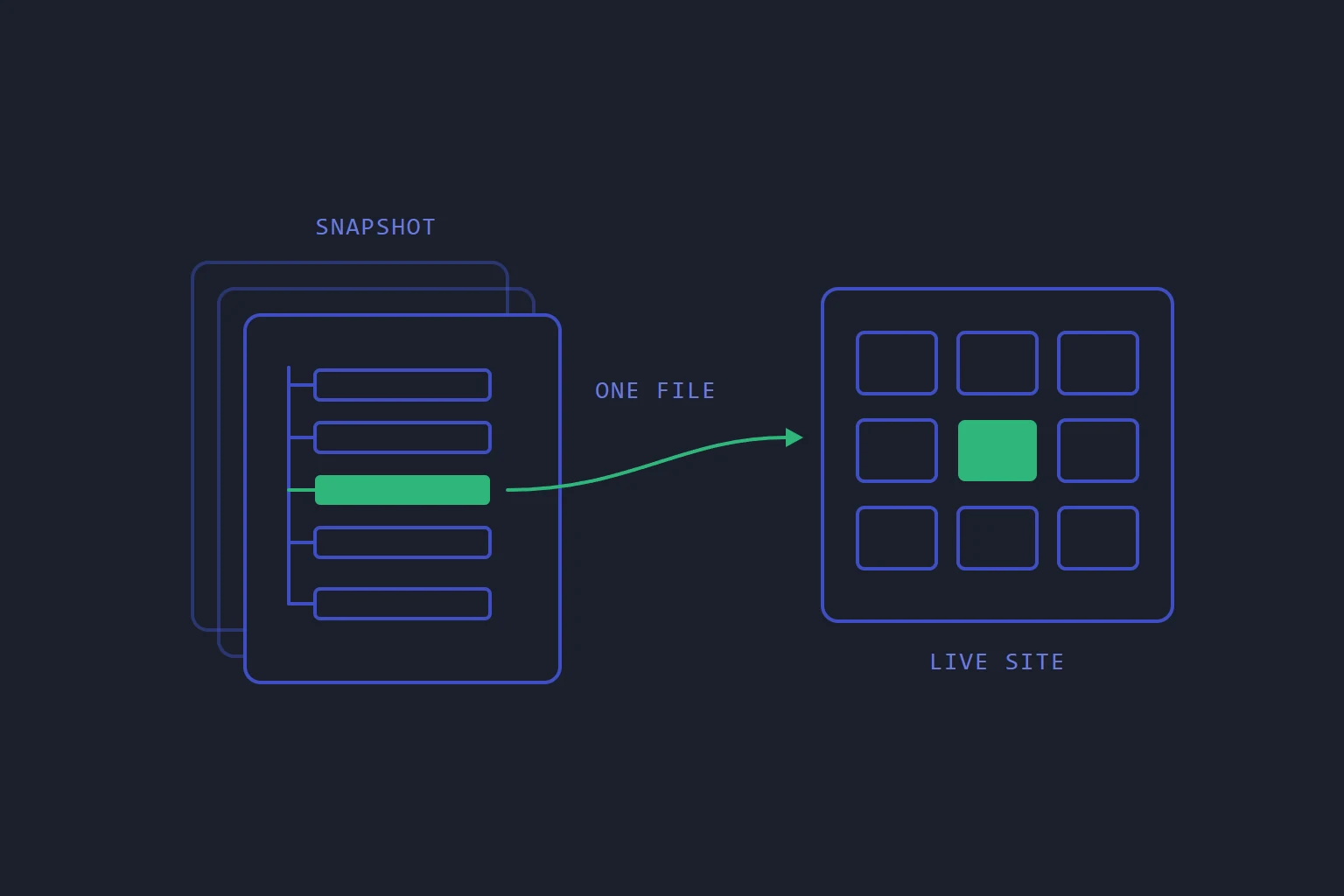
Somebody edits a theme file at four in the afternoon and the site's layout falls apart. Last night's backup has the file as it was. If the only restore on offer is the whole site, getting that one file back means rolling every file back to last night: the uploads from today, the plugin someone updated this morning, anything a customer attached to an order. So people do not restore. They try to rebuild the file from memory, because the tool that would fix it is too blunt to use.
A backup is only as useful as the smallest thing you can get back from it.
Restores have to be as narrow as mistakes
Most mistakes are small. One file overwritten, one table emptied, one DNS record deleted, one site removed by the wrong click. Whole-system disasters happen, but they are not what you restore from on an ordinary Tuesday.
Two things make a narrow restore usable.
You have to be able to see inside the backup. People rarely remember the exact path of what they lost. "Something under the theme folder, last week" is the usual starting point. A restore tool that wants the path typed in up front is only useful to someone who already knows the answer.
The restore has to touch only what you chose. Putting back one file should change one file.
How it works on our hosting
On our web hosting, backups go to separate backup servers, and restoring is a button in your control panel rather than a support ticket. On a website's Backups tab you pick a moment, then choose what comes back: the whole site, or One file only.
For one file, you browse inside the snapshot to find it, a folder at a time, the way you would on your own computer. If you already know the path you can type it instead. Only that file is overwritten; the rest of the site is left as it is.
A website's backup holds its files. Its database has backups of its own and is restored from the database's own Backups tab, so rolling back a broken table does not mean rolling back your files, and the reverse. The steps are in Restore a backup, a single file, or something you deleted.
A restore should not destroy what it replaces
The other common mistake is restoring the wrong day. If a restore overwrites today's version as it goes, picking the wrong snapshot turns one problem into two, with nothing left to go back to.
So these are built to keep what they replace:
- A whole-site restore does not delete the files it replaces. They are moved aside on the server, beside the site, under a name that says when, and nothing removes them automatically. They sit outside the site's own folder, so they are not swept into the next backup or counted against the site's disk.
- Restoring an earlier version of a DNS zone first keeps the current records as a version of their own, so the restore can be undone from the same card. See Undo DNS changes with zone history.
- Pushing a WordPress staging copy live takes a snapshot of the live site before it touches anything.
Two restores do overwrite, and it is worth knowing which. A one-file restore copies the snapshot's file over the current one. A database restore replaces the database's tables. In both cases the protection is the snapshot you take first: Create backup on the same Backups tab takes one straight away and does not change the schedule. If the version you are about to replace might matter, press it before you restore.
Deleting is not the same as removing
A deleted website, database or DNS zone is not removed straight away. Each waits in a Recently deleted list (at the bottom of My sites, on the Databases page and on the DNS zones page) with a Restore button beside it, and the list says when its contents will be removed for good.
The details are deliberately plain. A restored website comes back with its files but not its certificate, so you request a new one once it is serving again. A deleted zone cannot be brought back if the same domain has been added again since. Delete permanently removes something at once, for when you mean it.
Deletion is the most common irreversible click in any control panel. Turning it into a reversible one for a while costs some disk and saves the afternoon somebody deletes the wrong site.
And it has to work
None of this matters if the backup does not restore, which is a separate question with its own answer. We covered it in A backup nobody has restored is a hope. On our side, each backup card shows when that backup was last restored in a test.
The short version
Check four things about any backup you rely on, ours or anyone else's:
- Can you browse a snapshot without restoring it? If not, you will restore more than you meant to.
- Can you restore a single path? A whole-site restore should be the exception.
- Does a restore keep what it replaces? If it does not, take a fresh backup before every restore, every time.
- Is deleting reversible for a while? If it is not, treat every delete button as permanent, because it is.
- backups
- restore
- operations
Read next
- OperationsA backup nobody has restored is a hope
Backup software reports success at the moment of writing. Whether the data comes back is a different question, and it is only answered by asking it.
- HostingLet a coding agent work on your site without giving it your account
Most ways of letting a coding agent onto a website hand it a credential made for a person. Give it one that reaches one site, writes to a copy, and leaves going live to you.
- HostingShared hosting and a server answer different questions
The choice is usually framed as power versus price. It is really a question about who is responsible for the operating system — and that answer does not change as your traffic grows.
- HostingWhat "isolation" actually means in shared hosting
Most panels isolate per account. Doing it per website costs more and is the difference between one compromised site and all of them.